Land more links per client
without adding a single hire.
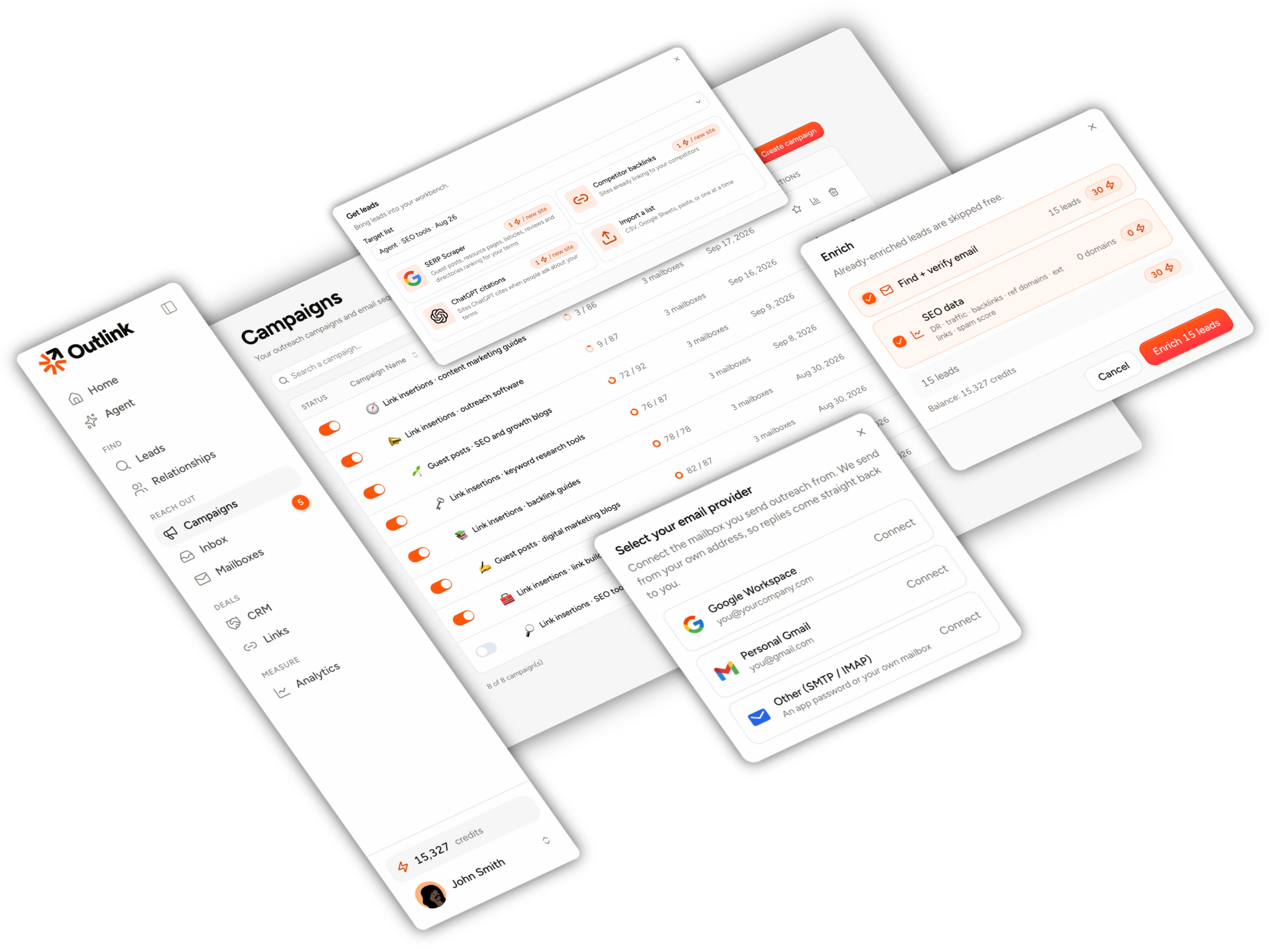
One tab for prospecting, SEO metrics, contact-finding and outreach. Every plan has unlimited seats, so the whole team works one pipeline.
7-day free trial · 100 credits · card required · cancel anytime


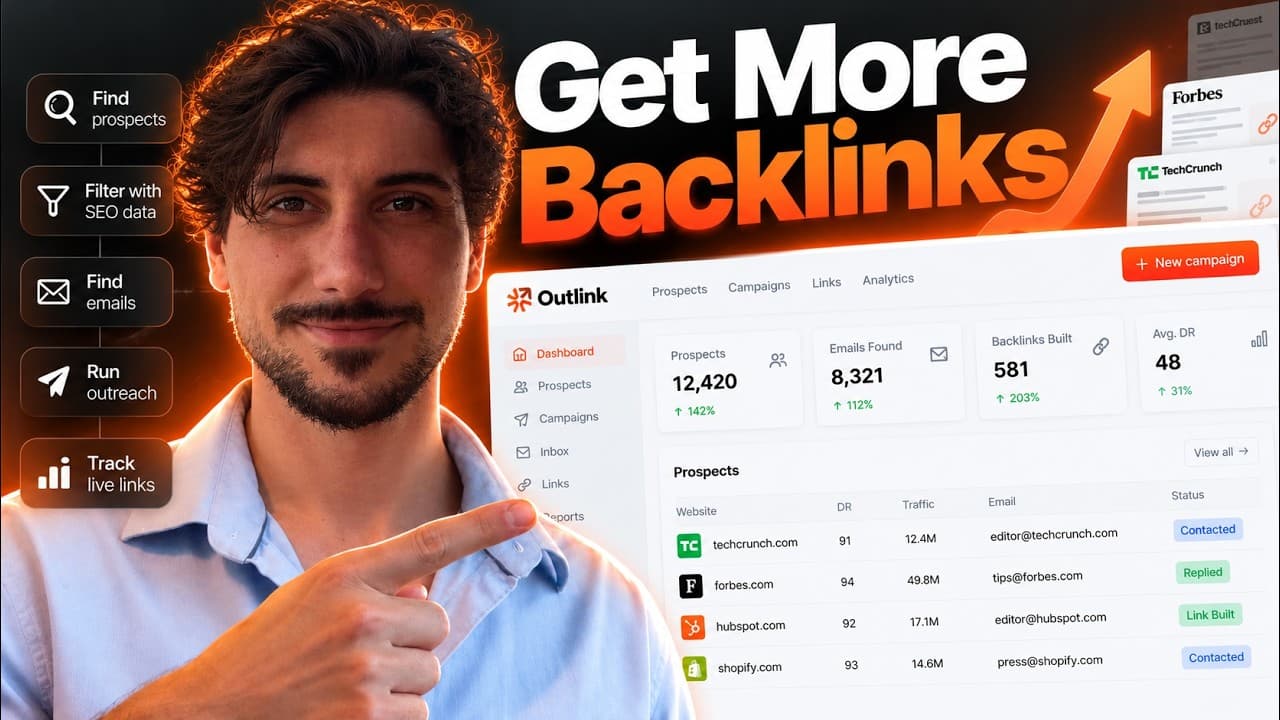
The One-Client Test: bring one client and run a full 25-prospect pass on the trial's 100 credits.
One tab instead of all of these
 Ahrefs
 Semrush
 Moz
Moz Hunter
 Snov.io
 Instantly
 Lemlist
 Pitchbox
 BuzzStream
 Google Sheets
 Excel
ExcelLink building spreads across too many tabs.
Every new client adds another sheet, another login and another month-end report.
The usual setup
- A prospecting tool, an SEO tool, an email finder and a sender, each on its own invoice
- A spreadsheet per client to remember who was pitched, what was agreed and what it cost
- A VA copying metrics between tabs to qualify sites one at a time
- Per-seat pricing that turns adding that VA into a budgeting question
- A client report assembled by hand at month end
= five logins, five bills, one spreadsheet holding it together
With Outlink
- Find, qualify, find emails, send and track in one tab
- Every site you've landed a link on, with its contacts and price, in one list
- One price a month, unlimited seats
- A printable link report filtered by the client's domain
= one login, one bill, one pipeline
7-day free trial · 100 credits · card required · cancel anytime
Brief it. Approve each step. Launch it yourself.
Nothing spends credits or sends mail you haven't approved.
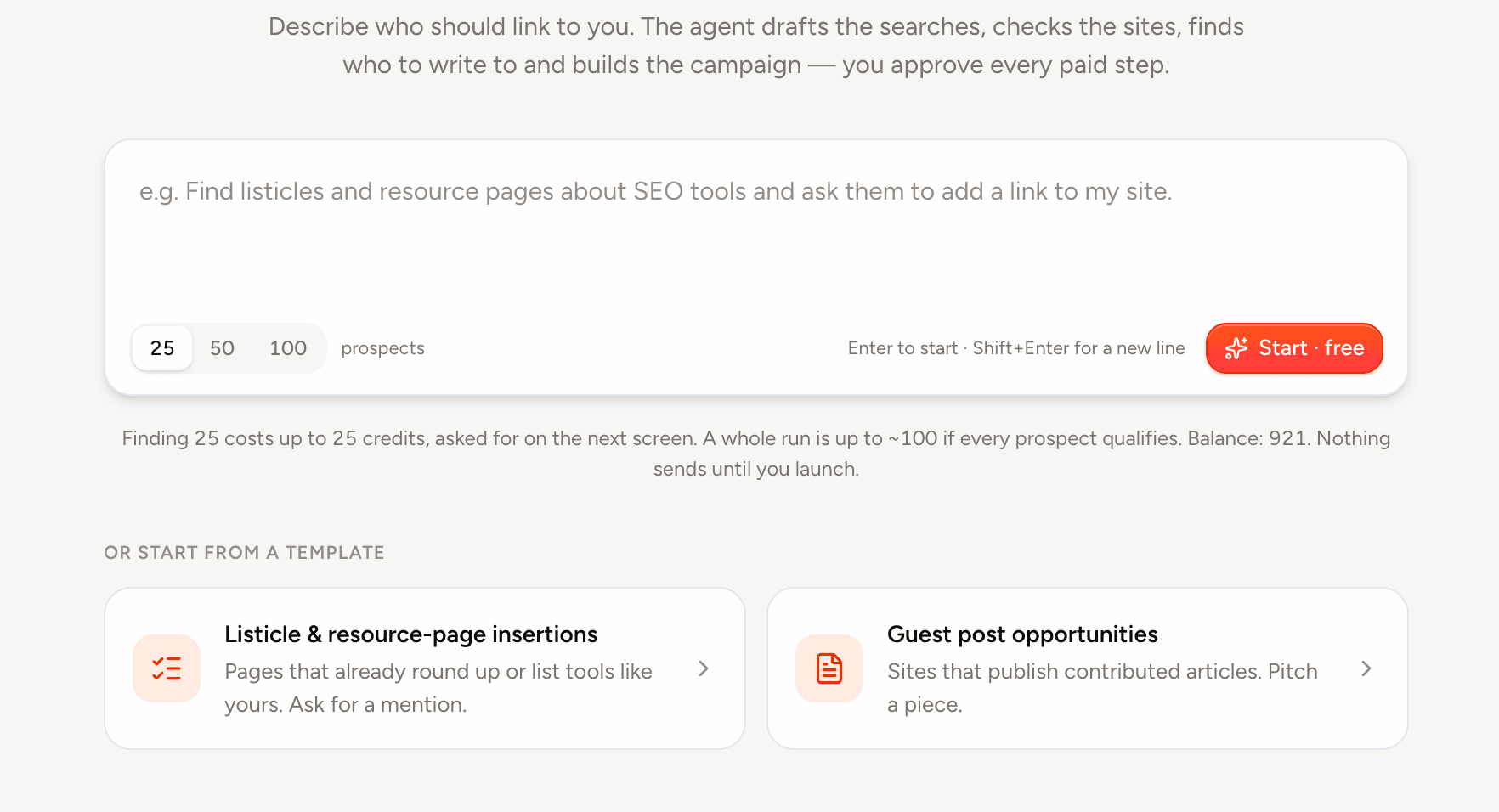
Brief the agent
Give it a niche, a goal (guest post or link insertion) and how many prospects you want. It drafts the search queries for free.
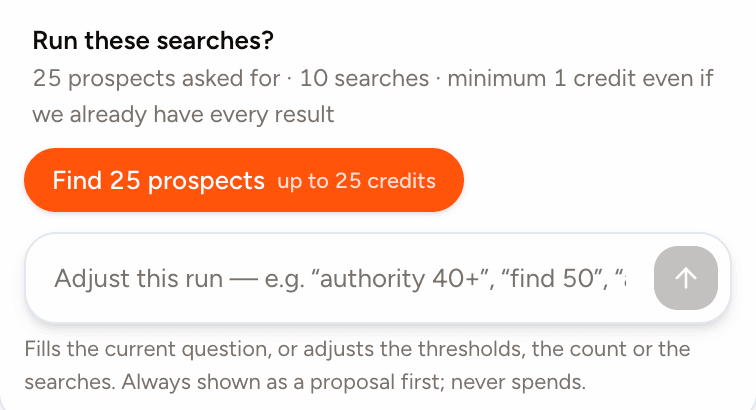
Approve each paid step
Find prospects, check SEO metrics, look up emails. Each step is a button that shows its maximum cost before you click. Tighten the authority or traffic threshold and re-check for free.
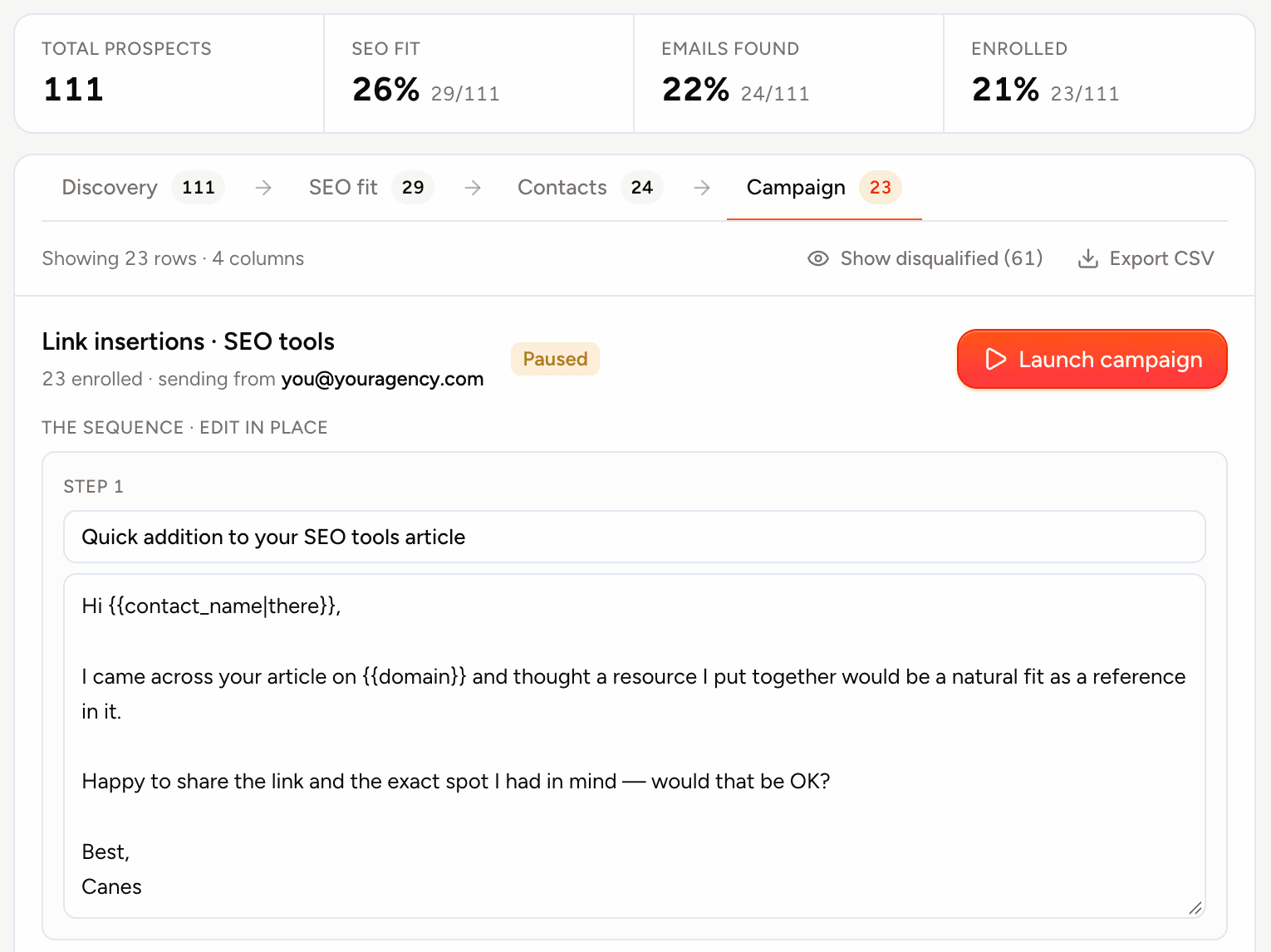
Review and launch
The agent builds a draft campaign from a starter sequence for your goal, which you edit in place. It sends from your own mailbox, inside your send window, only after you press Launch.
Watch the agent work, click by click.
Every step below happened in our own workspace on 29 September 2026: the brief, twelve drafted searches, the DataForSEO check, the Hunter lookups, the draft campaign. The rows are the real sites; the counts are scaled up to a thousand prospects in that run's proportions. Names and addresses are hidden here; the app shows them.


Link insertions · SEO tools
Link insertions0spent- Links for: SEO tools · Link insertions · 1,000 prospects
| State | Domain | Page title | Page type | |
|---|---|---|---|---|
| No prospects yet. Approve the searches on the left to find some. | ||||
7-day free trial · 100 credits · card required · cancel anytime
The whole link-building stack, one subscription.
Add clients without adding tools or seats.
Three ways to find prospects
Search-based prospecting for guest posts, resource pages, listicles, reviews and directories; sites already linking to your competitors; and pages ChatGPT cites.
Live SEO metrics
Authority, organic traffic, backlinks, referring domains, external links and spam score for every site.
Emails, charged only when found
Found through Hunter. Nothing found, nothing charged.
Import your own lists free
CSV, a Google Sheets link or pasted domains, with column mapping. Sites you already have are skipped, not charged.
Sequences that behave
Multi-step follow-ups threaded as replies, send windows, a per-mailbox daily limit you can ramp up, and an unsubscribe link on every send.
One inbox for every mailbox
Replies from all accounts in one place, answered from the app. A reply from anyone at a site stops the sequence for the whole site.
A pipeline built for link deals
Replied, negotiating, linked, rejected. Agreed price, link type, rel and anchor on every deal.
Relationships, site by site
Every site you've landed a link on: prices, link type and the last deal, with its contacts attached.
Up to three people per site
Email the contact and up to two colleagues Hunter verified at the same site. A reply from anyone there stops the rest.
7-day free trial · 100 credits · card required · cancel anytime
The report you send every client.
Every landed link, priced, on one printable page.
- Filter by the client's target domain and a date range, then print or save as PDF from the browser.
- Four totals: links landed, total spent, cost per link, sites.
- One row per link: site, URL, anchor, rel and type, price, date placed and status.
- Status is what your team recorded. The report says so in its footer, and nothing on this page pretends otherwise.
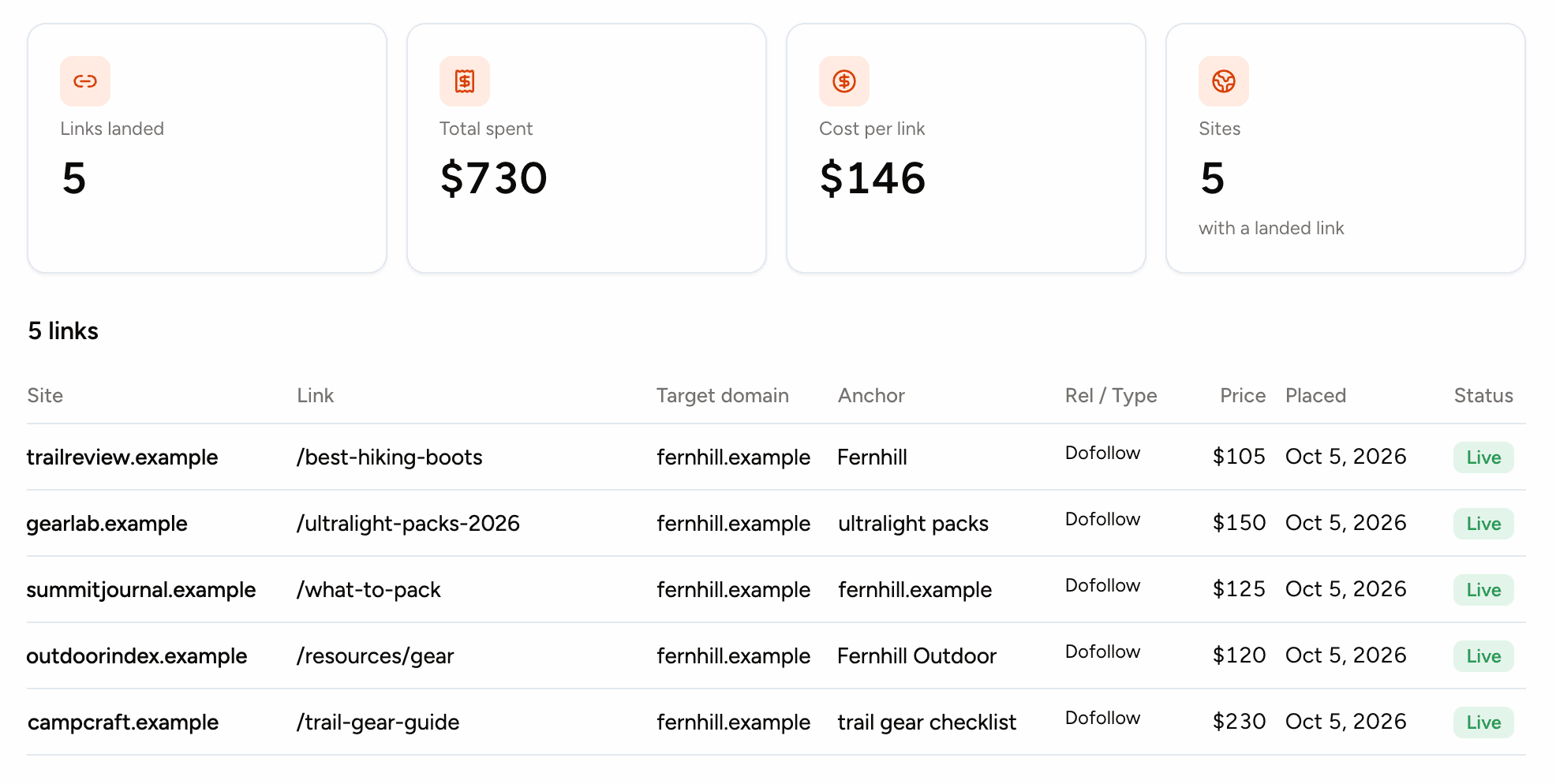
A demo workspace. The domains are fictional.
7-day free trial · 100 credits · card required · cancel anytime
Is Outlink right for your agency?
It is, if…
- You run outbound link building for more than one client and keep it in spreadsheets.
- You already pay for a prospecting tool, an SEO tool, an email finder and a sender.
- Your VAs or account managers need seats, and per-seat pricing has stopped you adding them.
- You want to see what each step costs before it runs.
- You send from Gmail, Google Workspace or an SMTP mailbox.
It isn't, if…
- You send from Outlook or Microsoft 365.Microsoft mailboxes aren't supported.
- You want the tool to verify that links are live.Link status is recorded by your team, not checked automatically.
- You want AI to write your outreach.The agent builds the campaign from a starter sequence you edit; it doesn't write copy for you.
- You need open and click tracking.Outlink doesn't track opens or clicks.
A word from the founder

Hey 👋 I'm Canes, I built Outlink.
I've done link building the normal way for years. Ahrefs in one tab, Hunter in another, a sender in a third, and a Google Sheet nobody wanted to own. On one campaign I actually counted: nineteen tabs to land six links. 🫠
The work itself takes about an hour. Babysitting the tabs takes a day. That gap is the whole reason Outlink exists.
So I built the thing I wished I had: find the sites, check the metrics, grab the emails, send the pitches, log the replies. One tab, no spreadsheet. It's calm on purpose and dense on purpose. Every pixel has to earn its spot.
If you run outreach for clients and you're tired of tabs, I think you'll like it. And if something's off, tell me. I read every email 😄
— Canes, founder of Outlink
7-day free trial · 100 credits · card required · cancel anytime
You pay for data, not seats.
Every plan includes the whole platform and unlimited seats. Plans differ in credits, mailboxes and monthly sends.
Every plan starts with a 7-day free trial · 100 credits · card required.
Solo
For solo link builders & freelancers
≈ 375–500 prospects run end to end / mo
≈ 1,260 emails / mo
Agency
For SEO & link building agencies
≈ 1,500–2,000 prospects run end to end / mo
≈ 5,040 emails / mo
Scale
For high-volume teams
≈ 4,000–5,333 prospects run end to end / mo
≈ 12,600 emails / mo
- Unlimited seats
- Unlimited contacts
- Unlimited campaigns and sequences
- Send from your own mailbox (Gmail, Workspace or SMTP)
- The agent
- CRM pipeline
- Unified inbox with reply detection
- Relationships
- Links and the printable report
- Analytics
- Prospect found1
- SEO metrics1
- Verified emailup to 2
Credits refresh each billing period. An email costs 1 for a site without a named contact, and nothing when no address is found.
Need more volume? Email us. support@outlink.so
Short answers, no fine print.
One full pass for one client: find 25 prospects, check their SEO metrics and look up their emails. That's at most 75 credits at today's rates, inside the trial's 100. Building and launching the campaign is free.
No. The campaign starts from a built-in sequence for your goal, with each site's details merged in when it sends. You can edit every subject and body before launch.
Yes. Every plan has unlimited seats. Invite teammates with a link from Settings.
Sending, the inbox and the pipeline keep working. Only new data pulls stop until your next period or an upgrade.
Gmail, Google Workspace, and any SMTP/IMAP mailbox with an app password. Microsoft 365 and Outlook aren't supported.
Yes, free. CSV, a Google Sheets link or pasted domains, with column mapping. You pay only when you pull SEO metrics or emails for them.
Yes. Cancel from the billing portal and keep access until the period ends.
No. Each paid step is a button with its maximum cost on it, the campaign it builds is a draft, and nothing sends until you press Launch, from your own mailbox, inside your send window.
Stop managing tools. Start landing links.
Bring one client. Find 25 prospects, check their metrics, find the emails and build the campaign, all inside the trial's 100 credits.